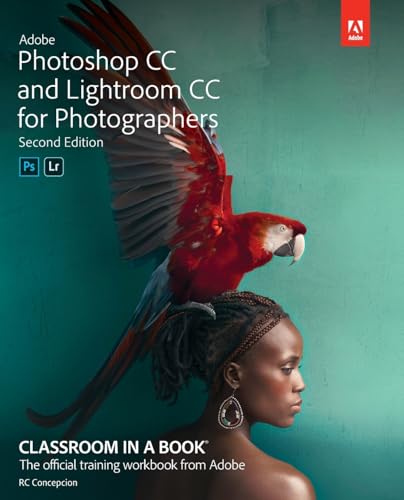
Adobe Photoshop CC and Lightroom CC for photographers / RC Concepcion.
Material type: TextSeries: Classroom in a book | Classroom in a bookPublisher: San Jose, California : Adobe Press, an imprint of Pearson Education, [2019]Publisher: �2019Edition: Second editionDescription: x, 336 pages : color illustrations ; 23 cmContent type:
 - text
- still image
- unmediated
- volume
- 9780135495070
- 0135495075
- Photoshop CC and Lightroom CC for photographers
- 006.686
- TR 267.5 A3 C66 2019
| Item type | Current library | Collection | Shelving location | Call number | Status | Date due | Barcode |
|---|---|---|---|---|---|---|---|
 Book
Book
|
TUP Manila Library | NFIC | General Circulation Section-GF | TR 267.5 A3 C66 2019 (Browse shelf(Opens below)) | Available | P00033839 |
Browsing TUP Manila Library shelves, Shelving location: General Circulation Section-GF Close shelf browser (Hides shelf browser)


|

|

|

|

|

|

|
||
| TP 897 B87 2016 Physico-chemical aspects of textile coloration / | TP 897 T49 2015 Textile dyeing green measures/ | TR 161 D35 2019 Practictal projects for photographers : learning through practice and research / | TR 267.5 A3 C66 2019 Adobe Photoshop CC and Lightroom CC for photographers / | TR 267.5 A3 F38 2019 Adobe Photoshop CC / | TR 267.5 A33 C37 2019 Adobe Photoshop Elements 2019 : the official training workbook from Adobe / | TR 310 E37 2019 Photoshop restoration & retouching / |
Includes index.
1. Importing and managing photos in lightroom -- 2. Organizing your photos into lightroom collections -- 3. Using lightroom's develop module for global adjustments -- 4. Using lightroom's develop module for local and creative adjustments -- 5. Fixing common photography problems -- 6. Lightroom -- photoshop roundtrip workflow -- 7. Lightroom to photoshop for selecting and masking -- 8. Lightroom to photoshop for retouching -- 9. Lightroom to photoshop for special effects -- 10. Lightroom to photoshop for combining photos -- 11. Exporting and showing off your work.
Learn Adobe Photoshop CC and Lightroom CC from the ground up, and develop your specific workflow for making great images. Start by importing and organizing your images into collections that make sense for you. Develop your pictures to make the most out of every pixel. Learn how Photoshop can take your vision further by using tools that enhance your work in Lightroom. Finally, you'll learn how Lightroom and Photoshop work hand in hand to give you the most powerful creative tools for your digital photography. The fastest, easiest, most comprehensive way to learn Adobe Photoshop Lightroom in conjunction with Adobe Photoshop. Classroom in a Book, the best-selling series of hands-on software training workbooks, offers what no other book or training program does-an official training series from Adobe, developed with the support of Adobe product experts. Adobe Photoshop CC and Lightroom CC for Photographers Classroom in a Book contains 11 lessons that cover the basics and beyond, from sorting your photos and adjusting tone and color to creating an HDR panorama and turning your photo into an oil painting. You can follow the book from start to finish or choose only those lessons that interest you. Purchasing this book includes valuable online extras. Follow the instructions in the book's "Getting Started" section to unlock access to: Downloadable lesson files you need to work through the projects in the book (lesson files also provided on DVD-ROM with the print edition of the book) ; Web Edition containing the complete text of the book, interactive quizzes, videos that walk you through the lessons step by step, and updated material covering new feature releases from Adobe. What you need to use this book: Adobe Photoshop CC and Adobe Lightroom CC software, for either Windows or macOS. (Software not included.)
There are no comments on this title.